Adding AI Provider
In addition to the Assistant, Caido offers several ways to connect an AI service. Open the account menu in the top-right corner, select Settings, then go to AI > Providers.
Connect a provider with an API key
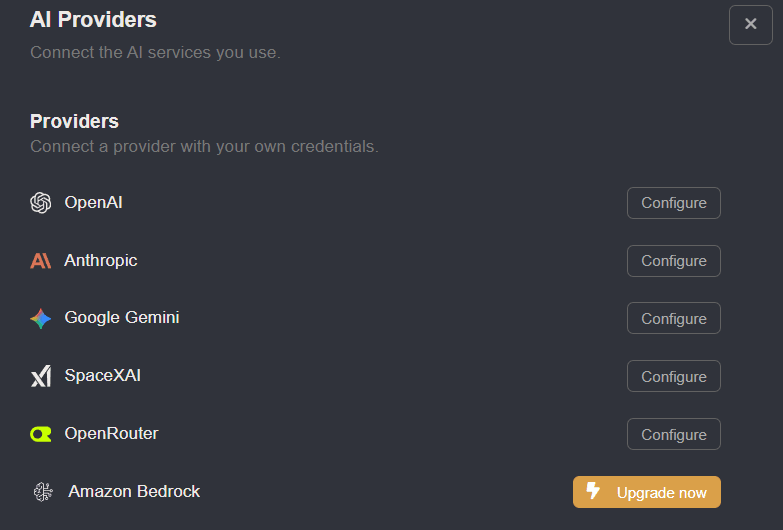
You can connect to the following providers using your own credentials:
- OpenAI
- Anthropic
- Google Gemini
- SpaceXAI
- OpenRouter
- Amazon Bedrock
INFO
Amazon Bedrock is available only to users on Team or Enterprise plans.
Select Configure beside a provider to add your credentials.
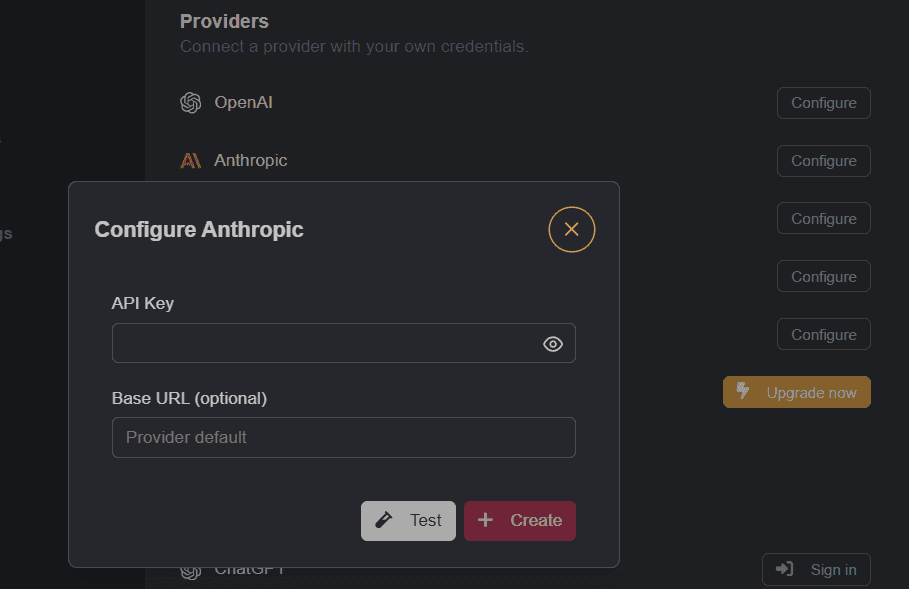
You can test the connection before saving your API key by selecting Test.
Sign in with a subscription
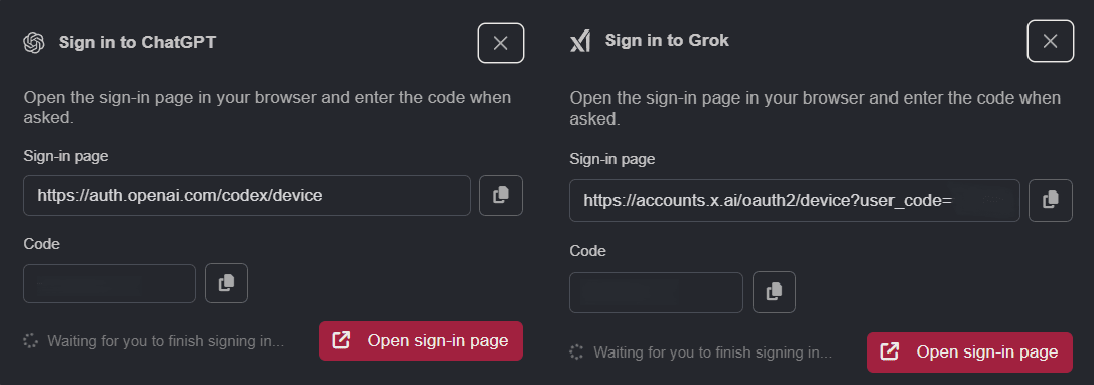
Subscriptions let you sign in to an existing account instead of using an API key. This feature is experimental. ChatGPT and Grok are currently available as subscription options.

Select Sign in beside ChatGPT or Grok and follow the prompts to complete the sign-in.
Connect a custom provider
Custom providers are available on Team and Enterprise plans. To connect Caido to a compatible AI endpoint, enter a Provider ID and select an API type. The Base URL and API Key fields are optional. If your local LM Studio or LiteLLM endpoint doesn’t require authentication, leave the API Key field blank.
